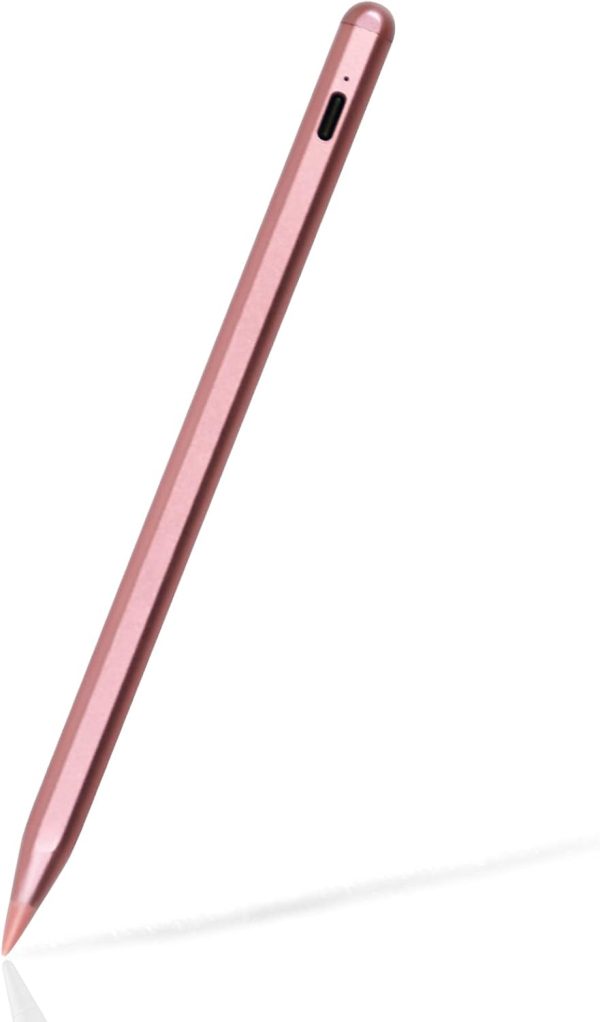



Stylus Pen for iPad (2018-2023) with Palm Rejection, iPad Pencil Compatible with Apple iPad Pro 11 inch 1/2/3/4, iPad Pro 12.9 inch 3/4/5/6, iPad Mini 5/6, iPad Air 5/4/3, iPad 10/9/8/7/6
Your Lease Ownership Plan
est. $2 /week*
38.987
Get it now and rent as you go. The item is yours after renting for 12 months or buyout early anytime. No down payment, no commitment and return/cancel anytime.
Rental Payment / 2 weeks: est. $3.37*
All lease payments apply to the ownership cost.
Ownership Options & Cost (before tax)
100-Day Price: $38.99*
Lease-to-Own: 26 bi-weekly payments over 12 months.
Early Buyout Price: After 100 days, buyout with a one-time payment of 50% of your remaining ownership balance.

DELIVER TO YOUR DOOR OR IN-STORE PICKUP*

LEASE TO OWN WITH NO CREDIT NEEDED*
- Details
- Reviews (0)
- Q & A
Description
Product Description
tesha 2nd Stylus Pen for iPad 2018-2022
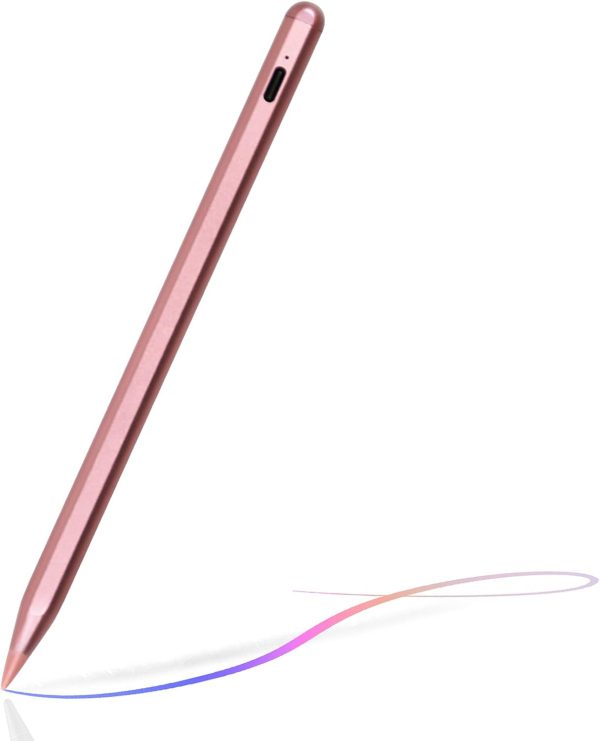
- Slim sleek and light, just like a conventional pencil, but with pixel-perfect precision.
- Upgraded 2mm pen tip can replace your finger to execute finer instructions.
- No lag/offset/breaking point!
- It gives you a realistic feeling while drawing or painting.it gives you a realistic feeling while drawing or painting.
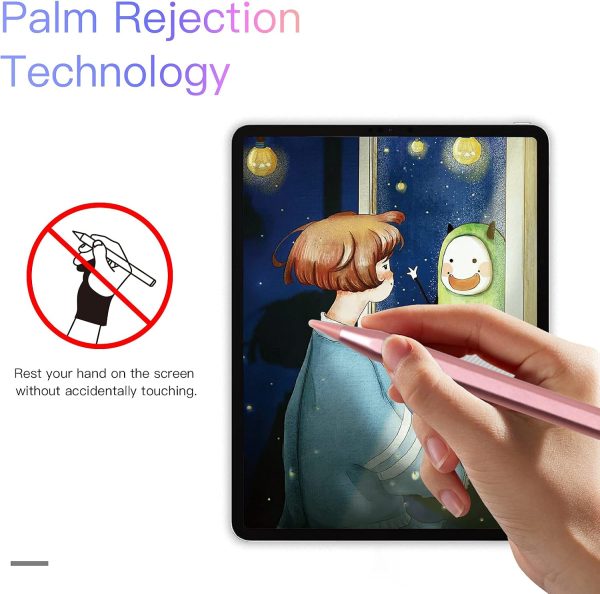
Palm Rejection TechnologyStylus pen 2nd Gen with palm rejection technology, you can rest your palm comfortably on the screen while writing or drawing, don’t have to wear the anti-friction glove with this pen. |
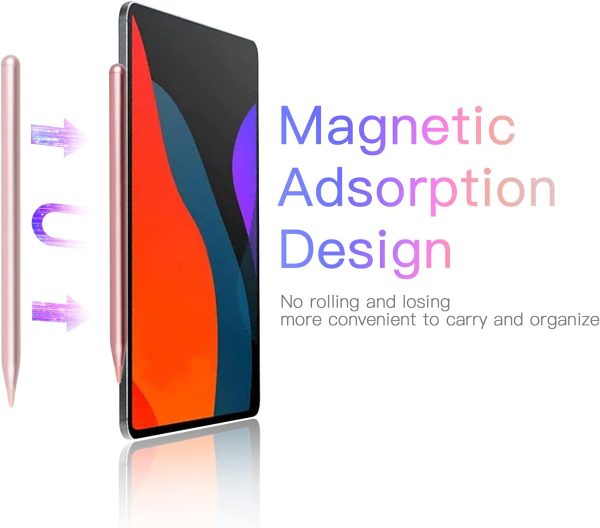
Magnetic AdsorptionMagnetic design, attached to the iPad Pro side face,to prevent loss and fall, no more rolling and lost, it is more convenient to take outside or travel. |
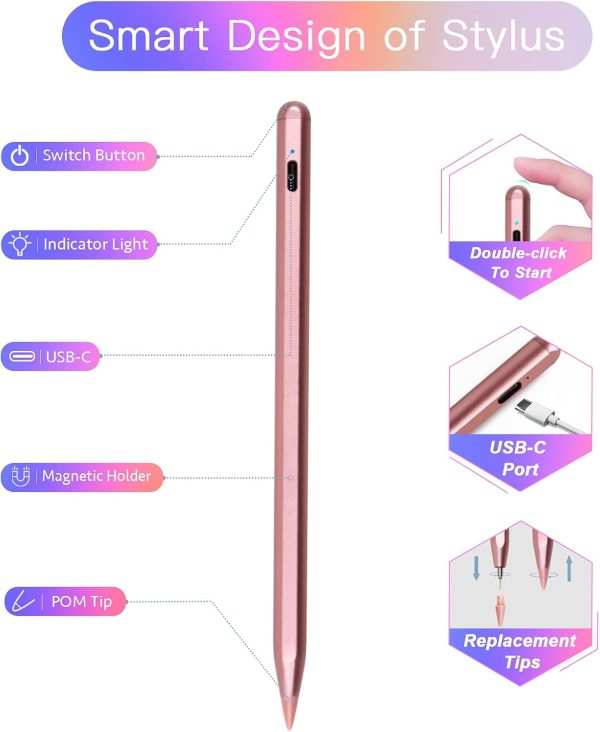
Smart Touch SwitchNo need to install Bluetooth or Apps, just turn ON/OFF this active digital pen by double touching the cap button. |
Extra Long StandbyIt will automatically turn in “Sleep Mode” after idle for 5 minutes to save power. 10 hours continuous working, 30 mins charge, 30 days standby time. |
Warm Tips
1.Please turn off the Bluetooth connection before using our stylus pen if you have connected the “apple pencil”.
2. For the first-time use, please update to iOS 12.2 or above, turn off the “apple pencil” and “only draw with apple pencil”option in settings.
*Settings > Apple Pencil > Turn off the Apple Pencil.
*Settings > Notes > Turn off “Only Draw with Apple Pencil.
3. Please ensure the stylus is enough battery power when using.
4. Recommended Apps
Writing: GoodNotes, UPAD3, Noteshelf, Notes Plus, Notability, etc.
Drawing: ArtRage, Procreate, Sketches, Paper, SketchBook, ArtStudio, Zen Brush, etc.
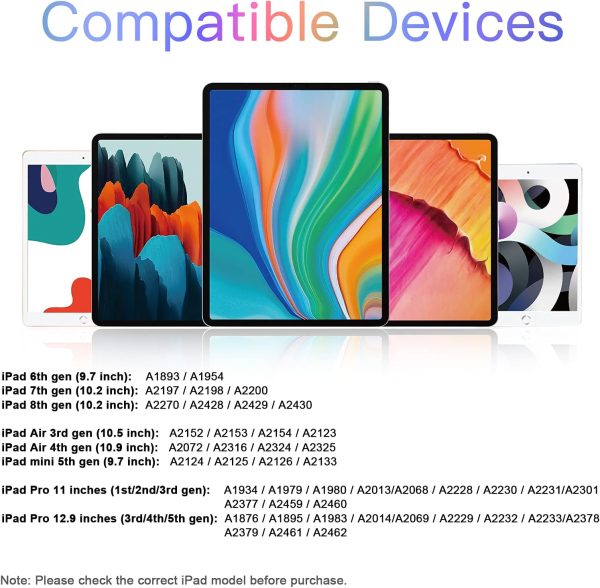
Compatible with iPad 2022/ 2021/ 2020/ 2019/ 2018
| iPad 10th generation – 2022 | A2696/A2757/A2777 |
| iPad 9th generation – 2021 | A2602 / A2604/ A2603/ A2605 |
| iPad 8th generation – 2020 | A2270 / A2428 / A2429 / A2430 |
| iPad 7th generation – 2019 | A2197 / A2198 / A2200 |
| iPad 6th generation – 2018 | A1893 / A1954 |
| iPad Air 3rd Generation | A2152 / A2153 / A2154 / A2123 |
| iPad Air 4th Generation | A2324 / A2325 / A2072 / A2316 |
| iPad Air 5th Generation | A2588 / A2589 / A2591 |
| iPad Mini 5th Generation | A2124 / A2125 / A2126 / A2133 |
| iPad Mini 6th Generation | A2567/ A2568/ A2569 |
| iPad Pro 11″ (2018-2022) | A1980/ A2013/ A1934/ A1979/ A2228/ A2068 / A2230 / A2231/ A2377/ A2459/ A2301/ A2460/A2759/A2435/A2761/A2762 |
| iPad Pro 12.9″ (2018-2022) | A1876/ A2014/ A1895/A1983 / A2229/ A2069/ A2232/ A2233/ A2378/ A2461/ A2379/ A2462/A2436/A2764/A2437/A2766 |
- 【Pencil for iPad Compatible with Apple iPad 2018-2023】This pen for iPad pencil ONLY compatible with Apple iPad Pro 11 inch 4th, 3rd, 2nd, 1st generation; iPad Pro 12.9 inch 6th, 5th, 4th, 3rd generation; iPad mini 6th, 5th generation; iPad Air 5th, 4th, 3rd generation; iPad 10th, 9th, 8th, 7th, 6th generation.
- 【Rechargeable & Long Battery Life】Compatible with Apple pencil 1nd generation can be fully charged by USB C cable in 30 minutes and provides up to 10 hours of working time. This iPad pencil also features LED indicators to show charging progress. This pen for iPad can standby for 360 days.
- 【Tilt Sensitivity & Perfectly Precision】Compatible with Apple pen is designed with a tilt sensitivity sensor that changes the stroke size based on the inclination of the pen tip, this pen for iPad pencil is allowing for easy line thickness adjustments while drawing, sketching and marking. This stylus pen for iPad offers a smooth and noiseless writing experience, and the pen for iPad pencil comes with 2 extra replacement nibs to prevent wear and tear.
- 【Palm Rejection & Magnetic Attachment】Compatible with iPad Pencil supports palm rejection, allowing you to rest your hand on the screen without creating unwanted strokes. This pencil for iPad also features magnetic adsorption for easy attachment to your iPad, preventing loss and making this stylus for iPad more convenient to carry.
- 【Smart Touch Switch Button】Compatible with iPad pen has a smart touch switch that no need for Bluetooth connection, turn on this stylus pen by simply touching the cap button. It will automatically turn in ” Sleep Mode” after idle for 1 minutes to save power.
Only logged in customers who have purchased this product may leave a review.


Reviews
There are no reviews yet