Redragon K618 PRO 3-Mode Wireless RGB Mechanical Keyboard, BT/2.4Ghz/Wired Low Profile Win/Mac Gaming Keyboard w/Ultra-Thin Design, Dedicated Media Control & Mechanical Switches
Your Lease Ownership Plan
est.$5/week*
84.487
Get it now and rent as you go. The item is yours after renting for 12 months or buyout early anytime. No down payment, no commitment and return/cancel anytime.
Rental Payment / 2 weeks: est. $8.12*
All lease payments apply to the ownership cost.
Ownership Options & Cost (before tax)
100-Day Price: $84.49*
Lease-to-Own: 26 bi-weekly payments over 12 months.
Early Buyout Price: After 100 days, buyout with a one-time payment of 50% of your remaining ownership balance.
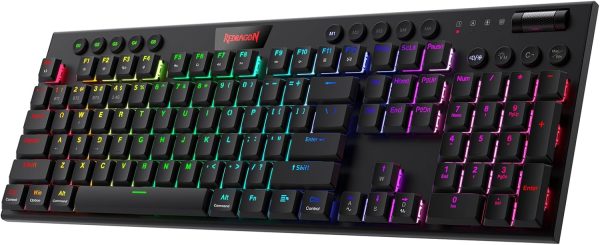
Up to 20 preset vibrant backlight modes can be adjusted easily by onboard keys and software, the brightness is also adjustable by scroll section. Redragon logo filled with sync RGB colors offers extra active buff for the gamer.
Solid Use Durability
Equipped with an advanced dependable battery, the keyboard provides a prolonged using time in wireless mode. Low battery indicator makes sure the keyboard will always online if you don’t forget to recharge.
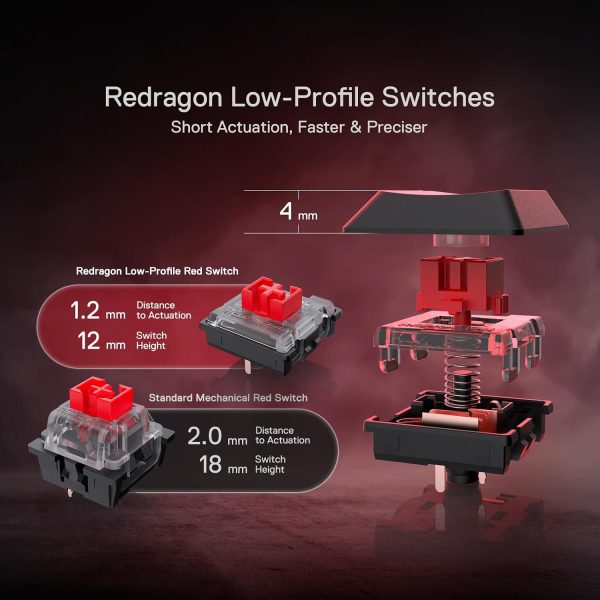
What is the difference between low-profile switches and standard switches?
Low-profile switches feel slimmer and require less key travel, making them faster and lighter to press. Standard switches have a taller profile with deeper key travel, giving a more traditional, solid, and tactile typing feel.
Troubleshooting for wired mode
If the keyboard is not recognized by the computer when using a wired connection, please try replacing the USB cable, USB port, and device for testing.
Troubleshooting for common keyboard situations
If you encounter any issues while using the keyboard, you can reset it by holding Fn + ESC for 3 seconds or by performing a reset in the software.
How do I use the software?
On Windows, use the software in wired mode. Turn the switch OFF and plug in the cable.
Why won’t my keyboard connect via Bluetooth?
Make sure it’s charged, reset it (Fn + ESC), turn switch to BT then reconnect(press FN+1/2/3).
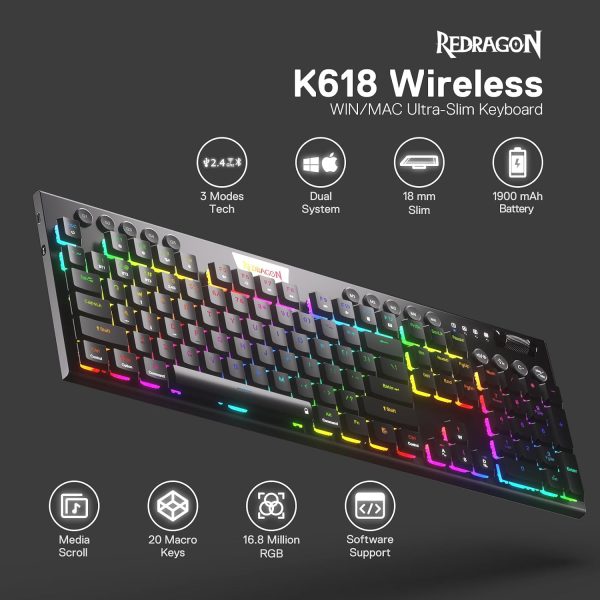
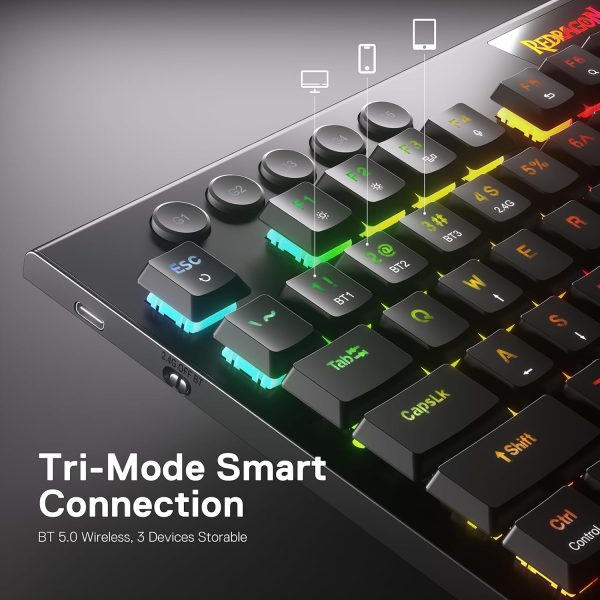
3-Mode Connection: Here comes Redragon innovative 1st-Gen 3-mode connection technology, USB-C wired, BT 3.0/5.0 & 2.4Ghz wireless modes which make the user experience upgraded to another level in all fields.
Worry-Free Wireless: Built-in upgraded 3.0/5.0 BT and 2.4Ghz wireless chips, K618 offers a real-wireless and no-latency connection for all devices in the market. Easy to toggle among different wireless devices set no limits of possibility.
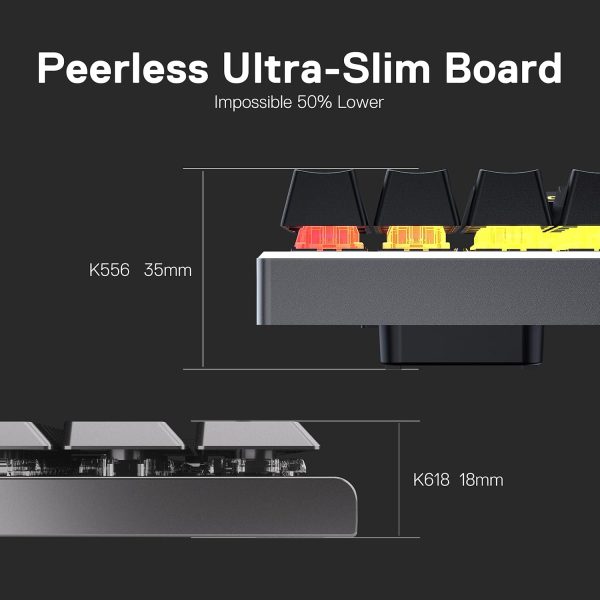
30% Cutted Ultra-Thin: Low profile designed throughout the whole keyboard from the bottom board, middle low-profile red switches (actuation force: 40g) and the top keycaps aim to shorten the distance to actuation as much as possible.
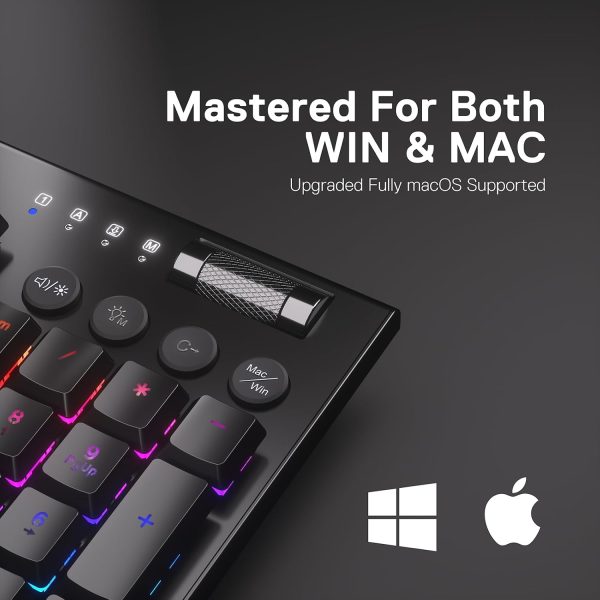
More Extra Practical: Set with 4 x 5 on-the-fly macro keys and a dedicated function area for media control. Convenient to rec frequently used macros without software, play the next song, or just scroll for volume adjustment.
More Details Redefinable: Along with tank-solid material is the Redragon core software driver support, 16.8 million colors backlighting, standard keys remapping, and infinite keybindings are all available for personal re-mod.
Reviews
There are no reviews yet
Only logged in customers who have purchased this product may leave a review.





Reviews
There are no reviews yet